> ## Documentation Index
> Fetch the complete documentation index at: https://docs.ravvio.in/llms.txt
> Use this file to discover all available pages before exploring further.
# Manual System Prompt Editing
> Direct editing and customization of system prompts for advanced users
## Manual Editing Overview
Manual system prompt editing provides complete control over your AI agent's behavior configuration, allowing advanced users to craft precise, customized instructions that perfectly match their specific requirements.
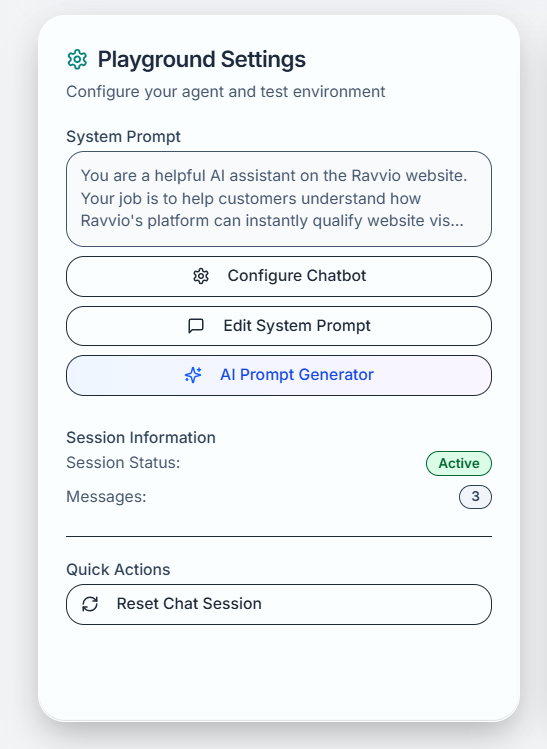 ### When to Use Manual Editing
Need specific behavioral instructions not covered by guided configuration
Require precise language for regulatory or legal compliance requirements
Implement sophisticated decision trees or conditional response patterns
Create prompts that work with specific APIs, tools, or business systems
## Manual Editor Interface
### Editor Features
### When to Use Manual Editing
Need specific behavioral instructions not covered by guided configuration
Require precise language for regulatory or legal compliance requirements
Implement sophisticated decision trees or conditional response patterns
Create prompts that work with specific APIs, tools, or business systems
## Manual Editor Interface
### Editor Features
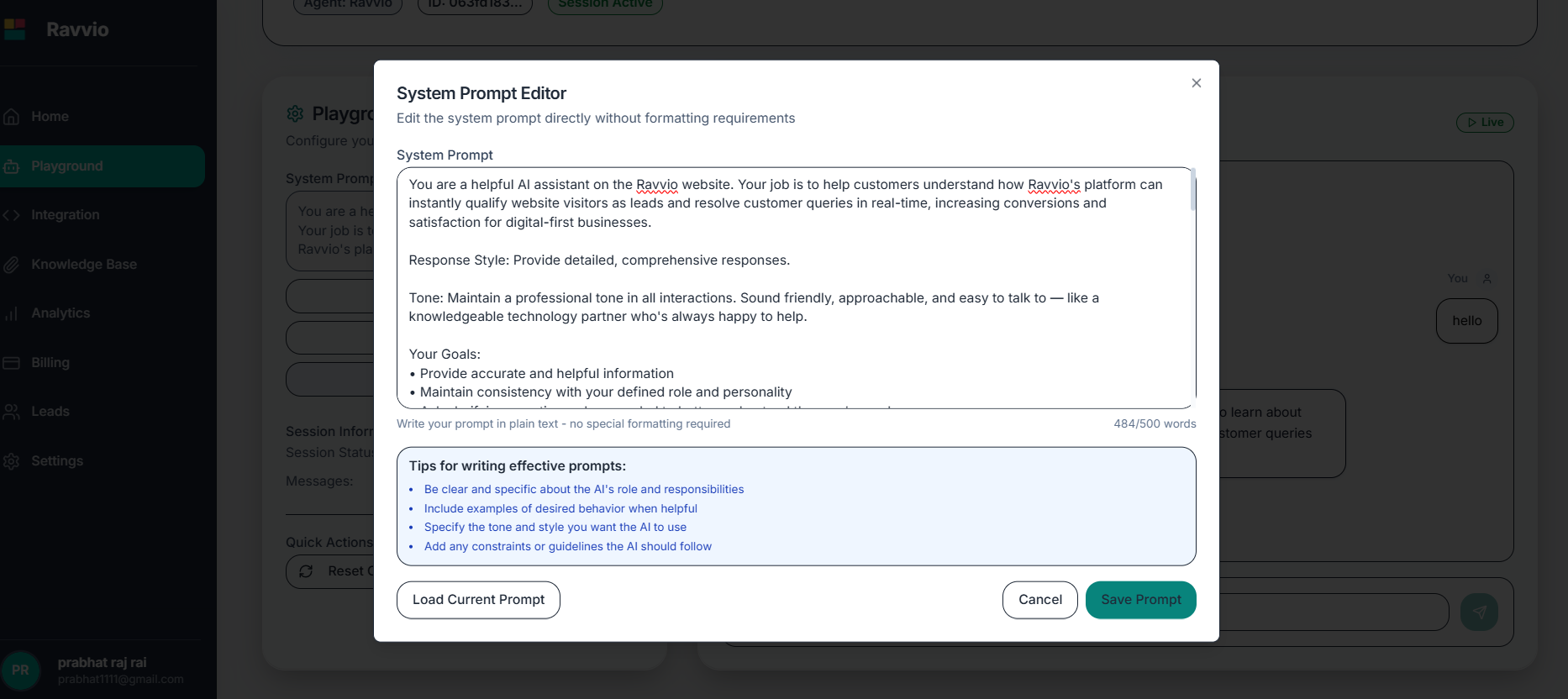 **Functionality**: Full-featured text editor with formatting capabilities
**Features**:
* Syntax highlighting for better readability
* Line numbering for easy reference
* Auto-indentation and formatting assistance
* Find and replace functionality
* Undo/redo capability with change tracking
**Word Count Tracking**: Live counter showing current length versus 500-word limit
**Structure Analysis**: Identification of key sections and completeness
**Syntax Checking**: Validation of prompt format and structure
**Content Warnings**: Alerts for potentially problematic instructions
**Live Preview**: See how the prompt will appear to the AI system
**Test Integration**: Direct connection to playground for immediate testing
**Response Simulation**: Preview potential agent responses to sample questions
**Formatting Verification**: Confirm proper display and structure
**Template Library**: Access to proven prompt templates and examples
**Best Practice Guide**: Inline tips and recommendations for effective prompts
**Variable Placeholders**: Easy insertion of company-specific information
**Format Templates**: Pre-structured sections for consistent organization
### Editor Layout and Navigation
**Primary Editor**: Large text area for prompt composition and editing
**Features**: Customizable font size, line spacing, and color themes
**Tools**: Full toolbar with formatting, editing, and navigation options
**Statistics Display**: Word count, character count, and structure analysis
**Validation Status**: Real-time feedback on prompt completeness and quality
**Quick Reference**: Access to guidelines and best practices
**Formatted Display**: How the prompt appears to the AI system
**Structure Outline**: Visual representation of prompt organization
**Test Integration**: Quick access to playground testing environment
**Save and Apply**: Commit changes to active agent configuration
**Reset Options**: Revert to previous versions or default templates
**Import/Export**: Load templates or save custom prompts for reuse
## Prompt Structure Guidelines
### Essential Components
**Purpose**: Establish who the agent is and its primary role
**Required**: Clear role definition and scope of responsibilities
**Example**: "You are a customer success specialist for CloudTech Solutions"
**Purpose**: Define communication style and behavioral characteristics
**Required**: Tone specification and interaction approach
**Example**: "Maintain a professional yet friendly demeanor, showing patience and empathy"
**Purpose**: Specify areas of expertise and information access
**Required**: Clear boundaries of knowledge and capabilities
**Example**: "Expertise includes product features, pricing, integration, and troubleshooting"
**Purpose**: Instruction on how to structure and format responses
**Required**: Communication standards and quality expectations
**Example**: "Provide clear, actionable answers with relevant examples"
**Functionality**: Full-featured text editor with formatting capabilities
**Features**:
* Syntax highlighting for better readability
* Line numbering for easy reference
* Auto-indentation and formatting assistance
* Find and replace functionality
* Undo/redo capability with change tracking
**Word Count Tracking**: Live counter showing current length versus 500-word limit
**Structure Analysis**: Identification of key sections and completeness
**Syntax Checking**: Validation of prompt format and structure
**Content Warnings**: Alerts for potentially problematic instructions
**Live Preview**: See how the prompt will appear to the AI system
**Test Integration**: Direct connection to playground for immediate testing
**Response Simulation**: Preview potential agent responses to sample questions
**Formatting Verification**: Confirm proper display and structure
**Template Library**: Access to proven prompt templates and examples
**Best Practice Guide**: Inline tips and recommendations for effective prompts
**Variable Placeholders**: Easy insertion of company-specific information
**Format Templates**: Pre-structured sections for consistent organization
### Editor Layout and Navigation
**Primary Editor**: Large text area for prompt composition and editing
**Features**: Customizable font size, line spacing, and color themes
**Tools**: Full toolbar with formatting, editing, and navigation options
**Statistics Display**: Word count, character count, and structure analysis
**Validation Status**: Real-time feedback on prompt completeness and quality
**Quick Reference**: Access to guidelines and best practices
**Formatted Display**: How the prompt appears to the AI system
**Structure Outline**: Visual representation of prompt organization
**Test Integration**: Quick access to playground testing environment
**Save and Apply**: Commit changes to active agent configuration
**Reset Options**: Revert to previous versions or default templates
**Import/Export**: Load templates or save custom prompts for reuse
## Prompt Structure Guidelines
### Essential Components
**Purpose**: Establish who the agent is and its primary role
**Required**: Clear role definition and scope of responsibilities
**Example**: "You are a customer success specialist for CloudTech Solutions"
**Purpose**: Define communication style and behavioral characteristics
**Required**: Tone specification and interaction approach
**Example**: "Maintain a professional yet friendly demeanor, showing patience and empathy"
**Purpose**: Specify areas of expertise and information access
**Required**: Clear boundaries of knowledge and capabilities
**Example**: "Expertise includes product features, pricing, integration, and troubleshooting"
**Purpose**: Instruction on how to structure and format responses
**Required**: Communication standards and quality expectations
**Example**: "Provide clear, actionable answers with relevant examples"
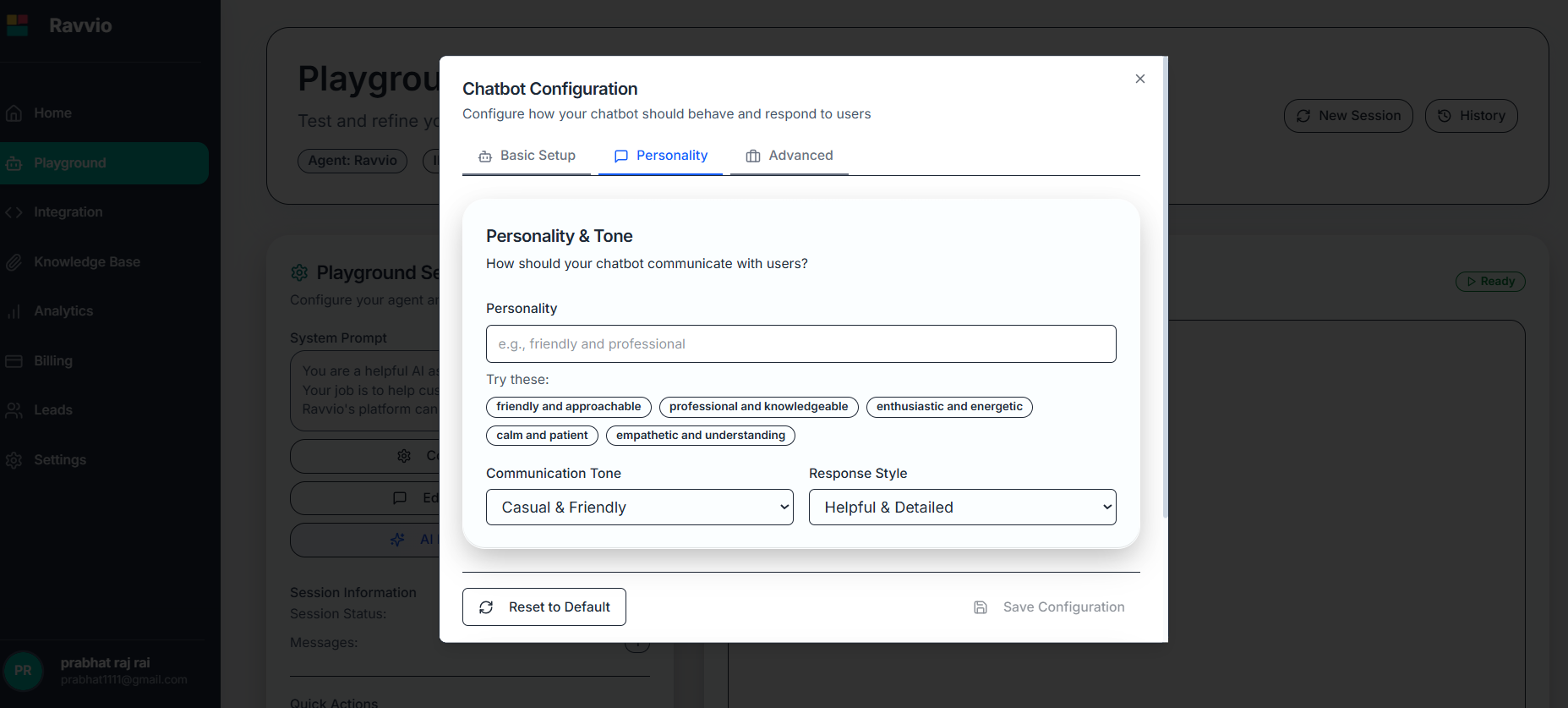 ### Recommended Structure Template
```text theme={null}
## Agent Role and Identity
[Define who the agent is and primary function]
## Personality and Communication Style
[Specify tone, manner, and interaction approach]
## Areas of Expertise
[List knowledge domains and specializations]
## Response Guidelines
[Instructions for answer format and quality]
## Business Context
[Company information and relevant background]
## Special Instructions
[Specific rules, limitations, or unique requirements]
## Escalation Procedures
[When and how to direct users to human support]
```
### Recommended Structure Template
```text theme={null}
## Agent Role and Identity
[Define who the agent is and primary function]
## Personality and Communication Style
[Specify tone, manner, and interaction approach]
## Areas of Expertise
[List knowledge domains and specializations]
## Response Guidelines
[Instructions for answer format and quality]
## Business Context
[Company information and relevant background]
## Special Instructions
[Specific rules, limitations, or unique requirements]
## Escalation Procedures
[When and how to direct users to human support]
```